
Building AI-powered applications has become more accessible with models like Qwen – Alibaba Cloud’s versatile large language model (LLM). Qwen can handle a wide range of natural language tasks (from text generation and Q&A to code and image understanding), making it a powerful engine for modern apps. In this guide, we’ll explore how to integrate the Qwen API with a Next.js frontend and a Python backend, covering everything from popular use cases to authentication, data storage, and deployment. The goal is to provide a comprehensive, developer-friendly roadmap to build real-world AI apps using Qwen, Next.js, and Python.
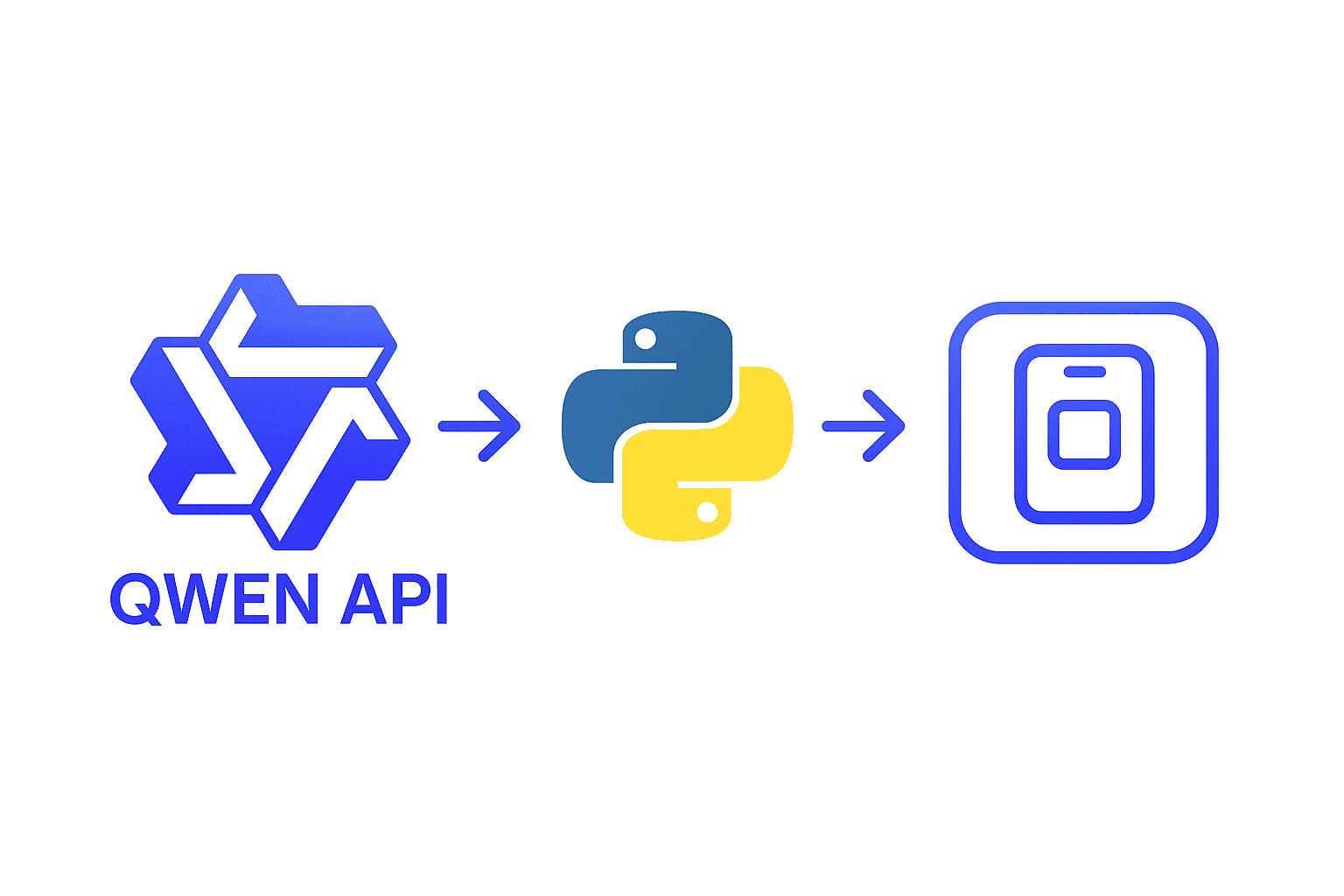
Why Qwen with Next.js and Python? Combining Next.js (a popular React framework for frontend) with Python on the backend offers the best of both worlds. Next.js excels at building interactive UI and handling web requests, while Python’s ecosystem is ideal for data processing, AI model integration, and connecting to the Qwen API. In fact, a recommended architecture is to use Next.js for the user-facing interface and FastAPI (Python) for business logic and calling the LLM, as illustrated below:
This separation ensures a responsive user experience on the frontend and robust AI processing on the backend. Throughout this guide, we assume readers have a basic understanding of web development. We’ll keep things accessible for beginners (explaining key concepts and providing code snippets), while also diving into enough technical detail to satisfy intermediate and advanced developers. Let’s start by looking at what kinds of AI apps you can build with Qwen.
Popular AI App Use Cases for Qwen + Next.js/Python
Leveraging Qwen’s capabilities, developers and companies are building a variety of AI-powered applications. Here are some core app types to consider focusing on:
- AI Chatbots & Assistants: Interactive chatbots that can engage in conversations, answer questions, and provide support. These range from customer support bots and FAQ assistants to real-time personal assistants. Qwen’s chat-oriented models (e.g. Qwen-Chat) are well-suited for knowledge-base Q&A and helpful dialogues. For example, you could build a customer service chatbot that answers user queries 24/7, or an internal HR assistant that helps employees find company policies. Such chatbots can be enhanced by retrieving company-specific knowledge (more on RAG below) and by maintaining multi-turn context for natural conversations.
- Document Summarizers & Analyzers: Tools that take large documents or sets of documents (PDFs, contracts, research papers) and produce concise summaries or insights. Qwen’s “Long” model variant is designed for lengthy inputs – it can summarize long documents effectively. Imagine an app where a user uploads a legal contract PDF and the AI returns a summary of key points and potential issues, or a research assistant that digests academic papers into easy-to-read notes. These apps often use Python libraries to extract text from PDFs and then call the Qwen API to generate summaries. In production scenarios, Qwen has been used for serious document analysis in industries like pharma, banking, and legal, proving its ability to handle domain-specific jargon after fine-tuning.
- AI Dashboards & Insight Generators: Applications that interface with data analytics or business intelligence, using Qwen to generate insights, explanations, or even queries. One powerful pattern is natural language to SQL: users ask questions in plain English and Qwen translates them into SQL queries to retrieve data. Alibaba demonstrated a text-to-SQL chatbot using Qwen that converts human questions into SQL and returns results from a database. This enables dynamic dashboards where non-technical users can ask “How were sales this quarter compared to last?” and get an answer or chart without writing a query. These AI dashboards leverage Qwen’s strong reasoning ability for multi-step analysis. In fact, Qwen’s larger models (like QWQ-32B) excel at complex analytical tasks – financial risk analysis, drug safety assessments, regulatory compliance – anything that needs careful multi-step thinking. By integrating Qwen with your data (through Python connectors to SQL/NoSQL databases or data warehouses), you can build AI assistants that unlock insights on-demand.
- AI Productivity & Content Tools: Applications that boost productivity by generating or assisting with content. Qwen can write emails, draft blog posts, create marketing copy, or help brainstorm ideas thanks to its versatile language generation skills. For instance, you might build an email writing assistant that suggests replies or summaries of long email threads. Another idea is a task manager that uses Qwen to generate to-do lists or meeting agendas from bullet points. Because Qwen is capable of understanding context and tone, it can adapt its writing for professional emails, casual messages, or creative storytelling as needed. Such tools often have a Next.js frontend for a rich text editor interface and a Python backend to call Qwen (ensuring API keys and business logic remain secure on the server).
- Retrieval-Augmented Generation (RAG) Apps: Apps that combine Qwen’s generation with custom data retrieval. RAG is a technique where the system first fetches relevant information from your own data sources (such as a knowledge base, documents, or a vector database) and feeds that context into the model’s prompt. This allows the AI to provide up-to-date and company-specific answers, overcoming the limitation of the model’s fixed training data. A classic example is a company knowledge base chatbot: the user’s query is used to search internal documents (using embeddings in a vector store like Pinecone, Weaviate, or a Postgres pgvector extension) and the most relevant snippets are appended to the Qwen prompt for answer generation. The result is a chatbot that can accurately answer questions about proprietary data. In practice, building a RAG app involves an embedding model (Qwen itself or an embedding-specific model) to index and query your data, a vector database to store embeddings, and Qwen for the final answer. This guide can’t cover an entire RAG pipeline, but note that Qwen can be a core part of it. For example, you can use Next.js for the frontend and Supabase (with its pgvector feature) on the backend to store/query documents, as shown in one tutorial. The key idea is that RAG enables your Qwen-powered app to pull in external knowledge on the fly, greatly expanding its usefulness.
- Developer Tools (Code Assistants): AI applications aimed at programmers – like code generators, explainers, or debugging assistants. Qwen includes specialized coder models (e.g. Qwen-3 Coder) that are tuned for programming tasks, similar to OpenAI’s Codex. In fact, Alibaba released a Qwen Code CLI tool which can analyze codebases, suggest improvements, and even generate unit tests. In a web app context, you could integrate Qwen’s coding capabilities into a Next.js frontend where developers input code or questions, and a Python backend that calls Qwen for solutions. Potential apps include a “pair programmer” chatbot that helps explain code or suggests fixes, an automated code review tool, or a documentation generator that writes docstrings/comments for code. By leveraging Qwen’s understanding of 90+ programming languages and debugging skills, you can create developer-facing AI services. (Keep in mind these might require using Qwen’s coder models or enabling any code-specific parameters in the API.)
Why these app types? They represent high-impact, practical use cases that developers are actively building with LLMs like Qwen. They’re also relatively straightforward to implement using Next.js for the interface and Python for backend logic. Now that we’ve covered the “what”, let’s move on to the “how” – starting with how to integrate Qwen into your frontend and backend.
Frontend Integration: Building the UI in Next.js
On the frontend, Next.js provides an excellent framework for building interactive, real-time AI experiences. Here’s how you can integrate Qwen into the Next.js frontend:
- Designing the Chat/UI: For chatbots or assistants, you’ll likely create a chat interface (text input for the user prompt and a chat log display for Qwen’s responses). Next.js (especially with the App Router and React Server Components) can seamlessly handle dynamic updates. You might use state management to store conversation history on the client side, or better, fetch updated conversation from the backend after each message. Libraries like Vercel’s
aiSDK (if using Next 13+) can help manage streaming responses and provide React hooks for AI interactions, but you can also implement this manually. - Calling Qwen API from the Frontend: While you could call the Qwen API directly from frontend (using fetch in the browser), it’s usually better to go through an API route or backend. This keeps your API key secure and allows additional processing. One approach is to create a Next.js API Route (or an Edge Function) that proxies requests to Qwen. For example, a Next.js API route
/api/chatcould accept a POST with the user’s message, and then forward that to the Qwen API, returning the answer. Another approach, which this guide emphasizes, is to have the Next frontend call a Python backend service (more on that soon). Either way, from a Next.js page or component, you can use the standardfetch()or libraries like Axios to send user input to your backend endpoint (whether it’s Next’s built-in API or an external Python URL). Then update the UI with the response. Here’s a simplified example of a Next.js API route calling Qwen (using an OpenAI-compatible call):
// pages/api/qwen-chat.js (Next.js API Route example)
import { NextResponse } from 'next/server';

export async function POST(request) {
  const { userMessage } = await request.json();
  // Construct the payload for Qwen API (OpenAI-compatible format)
  const body = {
    model: "qwen-plus",  // Qwen model name
    messages: [
      { role: "system", content: "You are a helpful assistant." },
      { role: "user", content: userMessage }
    ]
  };
  // Call Qwen API (replace with your Qwen endpoint and API key)
  const qwenResponse = await fetch(process.env.QWEN_API_URL, {
    method: "POST",
    headers: {
      "Content-Type": "application/json",
      "Authorization": `Bearer ${process.env.QWEN_API_KEY}`
    },
    body: JSON.stringify(body)
  });
  const data = await qwenResponse.json();
  return NextResponse.json(data);
}
In a real app, you’d handle errors and perhaps stream the response for better UX. The above shows the concept: the Next.js server receives the user’s message and forwards it to Qwen’s API using the provided API key and endpoint. Because Qwen’s API is OpenAI-compatible, the request format and URL are similar to OpenAI’s. (In fact, Qwen can be called via an OpenAI SDK by specifying a custom base URL.)
- Streaming Responses: One powerful feature for chat apps is streaming. Instead of waiting for the full response, you can display Qwen’s answer token-by-token (like how ChatGPT streams its answers). Qwen’s API supports streaming output. On the frontend, you can use Server-Sent Events (SSE) or web sockets to stream data from your backend to the UI. Next.js can handle SSE in API routes by using the
new EventStream()response (or by upgrading to edge runtime). Many developers use a simple technique: have the backend flush chunks of text as they arrive, and the frontend appends them. This yields a smoother, real-time feel. A tutorial using Next.js + FastAPI for LLMs notes that real-time streaming lets users get responses as they type, greatly improving interactivity. Implementing streaming might involve more code, but it’s worth it for user experience in chatbot and assistant apps. - UI/UX considerations: Use loading spinners or placeholders while the model is thinking. Make the interface intuitive (e.g., pressing Enter to send, showing typing indicators). If building a multi-turn chat, consider showing both user and AI messages in a scrollable chat log. For other app types (like a form where user uploads a document for summarization, or a dashboard with a question input), design with clarity – clearly indicate when AI is processing and when results are ready.
- Next.js and Deployment: Next.js 15 (as of 2025) is a robust choice that can be deployed easily on platforms like Vercel. Vercel is particularly convenient for hosting Next.js frontends, and it can also host your Next.js API routes (though for a Python backend, you’ll deploy that separately). If your app is primarily client-side (e.g., calling a separate Python API), you might even deploy the Next.js app as a static site or use the Edge runtime for minimal backend logic. Either way, the frontend can be live on Vercel (or Netlify, etc.), scaling automatically to user traffic. We’ll discuss backend deployment soon.
In summary, Next.js handles the presentation layer – building a responsive, modern UI for users to interact with your Qwen-powered features. Keep most secrets and heavy logic off the client for security and performance. Next, let’s look at the Python side, where the real “AI magic” (calls to Qwen and data handling) happens.
Backend Integration: Python API for Qwen and Data Processing
Using Python on the backend gives you access to a rich ecosystem for AI and the convenience of an official Qwen API client. You can implement the backend as a separate service (e.g., a FastAPI app) or even as part of a monolithic Next.js project by running a Python script – but a separate service is more scalable. Here’s how to set up and leverage the Python backend:
Choosing a Python Framework: A lightweight, high-performance web framework like FastAPI is a great choice for building a REST API to interface with Qwen. FastAPI is designed for speed (powered by ASGI and Uvicorn) and has a simple syntax for defining endpoints. You could also use Flask if you prefer, but FastAPI’s async support is beneficial when handling streaming or multiple requests. A typical architecture is: Next.js (frontend) calls FastAPI (backend) via HTTP, and FastAPI calls the Qwen API. This decoupling is illustrated in many full-stack AI app templates. Using FastAPI, you can define an endpoint like /api/generate or /api/chat that accepts a POST request with user input, and returns the AI response.
Calling the Qwen API from Python: Alibaba’s Qwen API operates in “OpenAI-compatible” mode, meaning you can use OpenAI’s SDK by pointing it to Qwen’s endpoint. After obtaining your Qwen API key (from Alibaba Cloud’s Model Studio, or via a platform like OpenAI-compatible endpoint provider), you set the base URL to Qwen’s and use the openai library. For example, using the OpenAI Python package, you can do something like:
import openai
openai.api_key = "YOUR_QWEN_API_KEY"
openai.api_base = "https://dashscope-intl.aliyuncs.com/compatible-mode/v1"  # Qwen API base (intl region)

response = openai.ChatCompletion.create(
    model="qwen-plus",
    messages=[
        {"role": "system", "content": "You are a helpful assistant."},
        {"role": "user", "content": "Hello, can you help me?"}
    ]
)
answer = response['choices'][0]['message']['content']
This example uses Qwen’s chat completion API with a simple system prompt and user message. The code is almost identical to calling OpenAI’s GPT, except we set api_base to Qwen’s endpoint and use our Qwen API key. (According to Alibaba Cloud’s docs, Qwen’s API endpoint is under a service called DashScope, and we can use the same OpenAI SDK methods by just changing the base URL.) The model name “qwen-plus” is used here as an example; Qwen has various model versions (Qwen-7B, Qwen-14B, Qwen-3 series, etc.), including Qwen-Plus and Qwen-Max, and even multimodal versions. You would choose the model based on your app’s needs (e.g., Qwen-Plus for general tasks, Qwen-3 for the latest features, Qwen-Long for long context, Qwen-VL for vision, etc.).
Business Logic & Pipelines: In the Python backend, you’re not limited to just forwarding calls. This is where you can implement additional processing. For instance, in a document summarizer app, your FastAPI route might: receive a file upload, use Python libraries (like PyPDF2 or pdfplumber) to extract text, possibly chunk the text if it’s very long, and then call Qwen’s API with a prompt to summarize each chunk (or using Qwen-Long to handle it in one go). You could then post-process Qwen’s outputs (e.g., combine chunk summaries) before returning the final summary to the frontend. Similarly, for a RAG app, your backend might handle querying a vector database. Python has clients for Pinecone or Weaviate, or you can use the Supabase Python client to query pgvector. The sequence could be: take the user’s question, generate an embedding (maybe using Qwen’s embedding model if available, or OpenAI’s text-embedding model), search your vector DB for relevant documents, retrieve top results, compose a prompt with those results + question, and call Qwen for the answer. All of this logic resides in Python, ensuring the heavy lifting is done server-side.
Handling Concurrent Requests and Streaming: Python’s async capabilities (especially in FastAPI) allow you to serve multiple requests efficiently. If you expect many simultaneous users, make sure to run your FastAPI with an ASGI server (Uvicorn or Hypercorn) with enough workers/threads. For streaming, you can use FastAPI’s StreamingResponse to stream the output tokens as Qwen generates them. The Qwen API will chunk results if you use the stream parameter. Your FastAPI code can iterate over the streaming response and yield server-sent events that the frontend can consume. This requires careful async coding but is doable – an example pattern is to start the generation in a background thread and yield new tokens via an async generator. Alternatively, some developers use WebSockets (FastAPI supports that too) to push new tokens to the client. If implementing streaming is complex initially, you can start by returning the full result on completion (simpler) and iterate on streaming later.
Security & Rate Limiting: On the backend, ensure you don’t expose your Qwen API key. Keep it in an environment variable or configuration file. The Python backend should also enforce any necessary rate limiting or quotas if you have a limit on API usage – you can use a package like slowapi or implement simple counters to avoid overloading the Qwen API. Also consider adding input validation: e.g., limit the length of user prompts (to prevent extremely large inputs that could slow down or crash your service), and possibly filter out any disallowed content if needed (depending on Qwen’s content guidelines and your application’s requirements).
Example Backend Endpoint: Let’s illustrate a minimal FastAPI endpoint that ties it together. This example will accept a chat message and return a response from Qwen:
from fastapi import FastAPI, Depends
from pydantic import BaseModel
import openai  # OpenAI Python library

app = FastAPI()

openai.api_key = "YOUR_QWEN_API_KEY"
openai.api_base = "https://dashscope-intl.aliyuncs.com/compatible-mode/v1"


class ChatRequest(BaseModel):
    user_message: str


@app.post("/chat")
async def chat_endpoint(req: ChatRequest):
    completion = openai.ChatCompletion.create(
        model="qwen-plus",
        messages=[
            {"role": "system", "content": "You are a helpful assistant."},
            {"role": "user", "content": req.user_message}
        ]
    )

    answer = completion['choices'][0]['message']['content']
    return {"reply": answer}
This is a simple example using FastAPI. We configure the OpenAI (Qwen) client once at startup, then each request to /chat triggers a call to Qwen and returns the assistant’s reply. In a real-world app, you might include the conversation history in the messages for context, and use more complex system prompts or parameters (temperature, max tokens, etc.). But this shows the basic structure. You can test this by running the FastAPI server (e.g., uvicorn main:app --reload) and sending a POST request with JSON {"user_message": "Hello"} to see Qwen’s response.
Why Python backend? Apart from the easy integration with Qwen’s API, Python allows you to use numerous AI libraries (for preprocessing data, vector similarity search, etc.), and you might even run open-source Qwen models locally if needed (using libraries like Transformers or vLLM in Python). Some advanced setups could host a Qwen model in-memory and have the Python service perform inference without calling an external API – useful for offline or on-prem deployments. However, that’s beyond our scope; here we assume using Qwen via the provided API for simplicity.
With the backend in place, we have a full-stack setup: Next.js frontend for interaction and presentation, and Python backend for AI inference and data handling. Now let’s discuss some crucial aspects to make this app truly production-ready: authentication, data storage, and deployment.
Authentication and Security Considerations
Any real app needs to handle user management and restrict access to sensitive operations. When building a Qwen-powered app, you should think about authentication (auth) for users and authorization for API calls:
Next.js Authentication (Frontend): The simplest path for auth in a Next.js app is to use NextAuth.js (now renamed Auth.js for Next 15). NextAuth is a popular open-source authentication library designed specifically for Next.js, supporting providers like Google, GitHub, email/password, etc., and it abstracts the complexity of managing user sessions. With a few setup steps, you can allow users to log in and obtain a session token (often a JWT) that represents their identity. Using NextAuth, you can protect pages or components by checking if the user is logged in and redirecting to a login page if not.
JWT for API Calls (Frontend to Backend): If you have a separate Python backend, how do you let it trust requests coming from your Next.js frontend? One common solution is to use JWTs (JSON Web Tokens). NextAuth (or any auth system) can issue a signed JWT when a user logs in. This JWT can include the user’s ID and any roles/permissions. The Next.js frontend can send this token along with requests to the Python API (usually in the Authorization header as a Bearer token). On the Python side, you would verify the JWT’s signature and extract the user info to know who is calling. In fact, there are libraries like fastapi-nextauth-jwt that help validate NextAuth-issued JWTs in FastAPI. This way, you integrate the auth flows: Next handles the UI and issuance of tokens, Python enforces them.
Protecting API Endpoints: Ensure that any endpoint on the backend that performs a Qwen API call or accesses user data is protected. If using JWT, you can create a dependency in FastAPI that checks the token. If the token is missing or invalid, return a 401 Unauthorized. This prevents misuse of your Qwen API key by unauthorized parties. For example, your FastAPI chat_endpoint could use a dependency that raises an error if the token is bad. Developers have written guides on combining NextAuth with FastAPI, noting that NextAuth stores JWTs in sessions and how to decode them on the FastAPI side. Following those practices will secure your backend.
API Keys and Secrets: Apart from user auth, make sure to secure your Qwen API key. Do not expose it in frontend code or public repos. Store it in environment variables on both Vercel (for any Next API routes that might use it) and on your backend server. It’s a good practice to rotate keys or restrict their permissions if possible. If you have other third-party keys (e.g., database URL, Supabase anon key, etc.), treat them similarly.
Rate Limiting and Abuse Prevention: If your app is public, consider implementing rate limiting to avoid abuse (someone hitting your API repeatedly and racking up Qwen usage). Basic strategies include limiting requests per minute per IP or per user account. This can be done in FastAPI using middleware or dependency (for instance, using an in-memory counter or Redis for distributed rate limiting). Also be mindful of prompt injection attacks or malicious inputs from users – since Qwen will respond to whatever prompt it’s given, you may want to sanitize or restrict certain content. OpenAI-compatible models have system prompts to guide behavior, so make use of them (e.g., setting a system message like “You are a helpful assistant, do not reveal confidential information” etc.).
In summary, for intermediate/advanced developers, integrating a robust auth system (like NextAuth + JWT validation in FastAPI) is the way to go. Beginners can start with a simpler approach (even a hardcoded API key for an internal tool or using Supabase Auth which simplifies some parts) and then upgrade to full auth as needed. The key is not to skip security when moving from prototype to production.
Database Integration for Persistence and Retrieval
Most AI apps will need a database or some form of data persistence. Whether it’s to store chat history, user data, or domain knowledge for RAG, integrating a database with your Next.js + Python stack is crucial:
Storing Chat History and User Data: For chatbots or assistants, you might want to save conversation history for each user – this can be used to fine-tune future interactions, or simply to allow the user to review past chats. A relational database like PostgreSQL (or its cloud variants) is a solid choice. You can use an ORM in Python (like SQLModel or SQLAlchemy) or connect directly. An alternative easy route is using Supabase, which is a backend-as-a-service wrapping PostgreSQL. Supabase provides not only a Postgres database but also an authentication system and storage. In fact, the open-source Next.js AI chatbot template uses Supabase for exactly these purposes: Supabase Postgres for data storage (conversation history), Supabase Auth for user accounts, and even Supabase file storage for any file uploads. This unified approach can accelerate development. The template demonstrates how a helpdesk chatbot can log all conversations in the database, enabling support staff to review them or further fine-tune the model. You can replicate such functionality by creating a messages table (with fields like user_id, role, content, timestamp, etc.) and inserting each message. The Next.js frontend can fetch the conversation from the DB (via the Python API or directly via Supabase SDK) to display history.
Vector Database for RAG: If you plan to implement Retrieval-Augmented Generation, you’ll need a database that can store embeddings and perform vector similarity search. Options include specialized vector DBs like Pinecone, Weaviate, Milvus, or even using PostgreSQL with the pgvector extension. The good news is that Supabase has pgvector support, and there are examples of using it in Next.js apps. Essentially, you would store each document (or document chunk) along with its embedding vector in a table, and create an index for fast nearest-neighbor search. At query time, you embed the user’s question and run a vector similarity query to get relevant documents. Your Python backend can handle these steps. For instance, you might have a /search endpoint that takes a query, does embed_query = openai.Embedding.create(...) (assuming Qwen or OpenAI embedding API), then does a vector search in the DB, then returns the top results. Those results would then be used in a subsequent call to the Qwen completion API. While implementing RAG is beyond this article’s full scope, remember that the combination of a vector DB + Qwen API is what enables knowledge-based apps. If your app doesn’t need long-term memory or custom data, you might skip this. But many enterprise use cases benefit from it.
Other Data Needs: Beyond chat logs and knowledge bases, your app might need to store user profiles, settings, or usage logs. Plan your database schema accordingly. If using NextAuth, some user data might be stored in the auth database (NextAuth can be configured with adapters for Postgres). If using Supabase Auth, the user info is in Supabase. Integrating these with your app logic might involve the Python backend querying user info to personalize responses (e.g., greeting the user by name).
Example – Saving a Chat Message: Suppose after getting a response from Qwen, you want to save the dialogue. In your FastAPI code, you could do something like:
# After generating answer in chat_endpoint:
# Save message to DB
db.execute(
    "INSERT INTO messages (user_id, role, content) VALUES (%s, %s, %s)",
    (current_user_id, "user", req.user_message)
)
db.execute(
    "INSERT INTO messages (user_id, role, content) VALUES (%s, %s, %s)",
    (current_user_id, "assistant", answer)
)
This pseudo-code assumes you have a db connection set up and current_user_id from auth. In practice, use parameterized queries or an ORM to avoid SQL injection. The idea is to log both the user query and the AI answer. Later, you can query this table to retrieve conversation history. If using Supabase from the frontend, you could bypass the backend for reading history (using Supabase’s client libraries with RLS (Row Level Security) rules to ensure users only read their own chats). Choose an approach that fits your app’s architecture.
Cleaning and Maintenance: Don’t forget to handle data retention as needed. For example, you might want to periodically delete older chats or have a limit on how many a free user can save, etc. Also ensure that any personal data is stored and handled in compliance with privacy requirements (especially if your app has users in regulated regions).
Integrating a database adds complexity, but it’s what turns an isolated AI demo into a stateful, personalized application. The combination of Next.js + Python + a database is a proven stack for full-stack apps, and many cloud providers offer free tiers or managed services to make setup easier.
Deployment: From Development to Production
After building your Qwen-powered app, deploying it reliably is the final step. You’ll want your Next.js frontend and Python backend running on servers (or serverless platforms) that can scale and remain available to users. Here are deployment tips and options:
Deploying the Next.js Frontend: The go-to choice is Vercel, the platform from the creators of Next.js. Vercel makes it trivial to deploy Next.js apps – you connect your Git repository and each push can trigger a deployment. It handles scaling and offers generous bandwidth. Your site will be served on a global CDN, ensuring fast asset delivery. If you used any Next.js API routes (Node functions), Vercel will deploy those as serverless functions. This is fine for low-intensity tasks, but remember that if you have a separate Python backend for Qwen, most heavy work is done there. Configure your environment variables (like NEXT_PUBLIC_SUPABASE_URL, etc., and any API endpoint URLs) in Vercel’s dashboard. Another option is Netlify or Railway for hosting Next.js, but Vercel is most seamless.
Deploying the Python Backend: You have multiple options depending on your needs and familiarity:
Cloud VM or Container: You can deploy the FastAPI app on a cloud VM (like an EC2 instance on AWS, a Droplet on DigitalOcean, etc.) or as a Docker container on services like AWS ECS/Fargate, Google Cloud Run, or Azure Container Instances. If you use Docker, you’d write a Dockerfile for your FastAPI app and deploy it to a service that supports auto-scaling.
PaaS (Platform as a Service): Services like Railway, Render, or Fly.io can deploy a FastAPI app directly from your repo. They often support auto-deployment and provide free tiers. For example, Render can host a FastAPI app with a Postgres database fairly easily. These platforms handle the server setup so you can just push code.
Serverless Functions: Although less common for persistent AI services, you could break some logic into AWS Lambda or Azure Functions. But since LLM calls can be long-running (streaming, etc.), a persistent service is usually better.
Hugging Face Spaces: HuggingFace offers a Spaces platform where you can deploy Gradio or Streamlit apps easily for ML demos. It’s not exactly for FastAPI, but you could wrap your logic in a simple Gradio interface for demonstration purposes.
If you had a custom model (like running Qwen locally), Spaces might host it. For Qwen API usage, Spaces might be less relevant, but worth mentioning as a quick demo option.The key is to ensure your backend is reachable by your frontend. If both are on Vercel (Next) and Render (FastAPI), just configure the frontend to call the Render URL (e.g., https://myapp.onrender.com/chat). Enable CORS on your FastAPI app so that the Vercel domain can make requests to it.
Environment Variables & Config: Store your Qwen API key, database URL, and any other secrets as environment variables on the server. Never commit them to code. On Vercel, you can add env vars in project settings. on Render or Railway, similarly add env vars for your FastAPI. For local testing, use a .env file and something like python-dotenv to load them. For example, Alibaba Cloud’s guide for Qwen API suggests exporting the API key as an environment variable (e.g., DASHSCOPE_API_KEY), and then your code can pull from os.getenv.
Scaling and Performance: In production, monitor your app’s performance. Next.js and Vercel will scale automatically to some extent for the frontend (edge caching, multiple regions). For the Python backend, if using a service like Render, you might start with a single instance and then consider horizontal scaling if needed. Ensure your FastAPI is running with multiple workers if CPU-bound. Qwen’s API latency will depend on the model size (bigger models = slower responses). If you need faster responses, consider using a smaller Qwen variant or other optimization techniques (like caching frequent queries, or processing certain queries offline). Also note that Qwen API might have rate limits or throughput constraints – check Alibaba Cloud’s documentation for any QPS (queries per second) limits and plan accordingly (maybe get a higher quota if your app gains many users).
Logging and Monitoring: Use logging on your backend to track requests and errors. You can integrate with services like Sentry for error monitoring on both Next.js and FastAPI. This will help catch issues like failed API calls or exceptions. Monitoring Qwen API usage (how many requests, which prompts) is also useful – you might log each prompt or at least count them, to see usage patterns and costs.
Testing in Production: Before fully releasing, test your deployed app thoroughly. Ensure the Next.js frontend can indeed talk to the Python backend (CORS issues resolved, correct URL endpoints). Verify that authentication flows work in the deployed environment (callback URLs for OAuth providers in NextAuth might need to be set to your production domain). Also, test with multiple users concurrently if possible, to see how the app holds up.
Deployment Example: For instance, a recommended setup could be:Next.js frontend on Vercel (configured with NEXT_PUBLIC_API_BASE_URL pointing to the backend).FastAPI backend on Render.com with a Gunicorn/Uvicorn server, 2-4 threads, and environment variables for Qwen API key and database URL.Supabase for database (hosted by Supabase itself) if you chose that route, or an AWS RDS Postgres.Domain setup so that your frontend might be on https://myapp.com and backend on https://api.myapp.com (you can set up a custom domain on Render or use their default domain).This separation aligns with the tech stack summary: Frontend on Next.js (Vercel), Backend on FastAPI (Render/Railway/etc.), Model API (Qwen via Alibaba Cloud), and optional DB (Postgres/Supabase).
By covering authentication, database, and deployment, we’ve touched on the full lifecycle of development – from building the app to making it live and secure.
Conclusion
Building AI-powered apps with the Qwen API, Next.js, and Python is both exciting and highly feasible. We highlighted popular use cases like chatbots, document analyzers, dashboards, and more, where Qwen’s advanced language capabilities can shine. The combination of a Next.js frontend and a Python (FastAPI) backend is a powerful architecture for these apps, offering a clean separation of concerns:
the frontend handles interactivity and user experience, while the backend handles AI inference and data management. This guide also emphasized making the app production-ready by addressing authentication (so only authorized users can access your AI features), data persistence (to provide context and memory), and deployment strategies (to serve users at scale).
As you proceed to implement your project, keep in mind best practices:
Start small with a prototype (maybe a simple chatbot interface calling Qwen’s API) and then iteratively add complexity like auth and database integration.
Leverage Qwen’s strengths (reasoning, multi-turn conversation, code, etc.) for the features you want – and use system prompts or fine-tuning to guide it if needed.
Ensure a good user experience: fast responses (streaming where possible), clear feedback during loading, and accurate answers (consider RAG for domain-specific accuracy).
Pay attention to costs and limits – Qwen API usage might incur costs, so optimize your prompts and calls (e.g., don’t send extremely large context if not needed, reuse context, etc.).
By following this guide, you should be well on your way to creating a meaningful AI application that harnesses the power of Qwen. Whether it’s an AI assistant that converses naturally, or a data-driven analyst that turns plain questions into actionable insights, the tools and patterns are at your disposal. Happy coding! Build something incredible with Qwen, Next.js, and Python – and don’t forget to keep security, scalability, and user value in focus. With these, your AI-powered app will not only be innovative but also reliable and ready for real-world users.