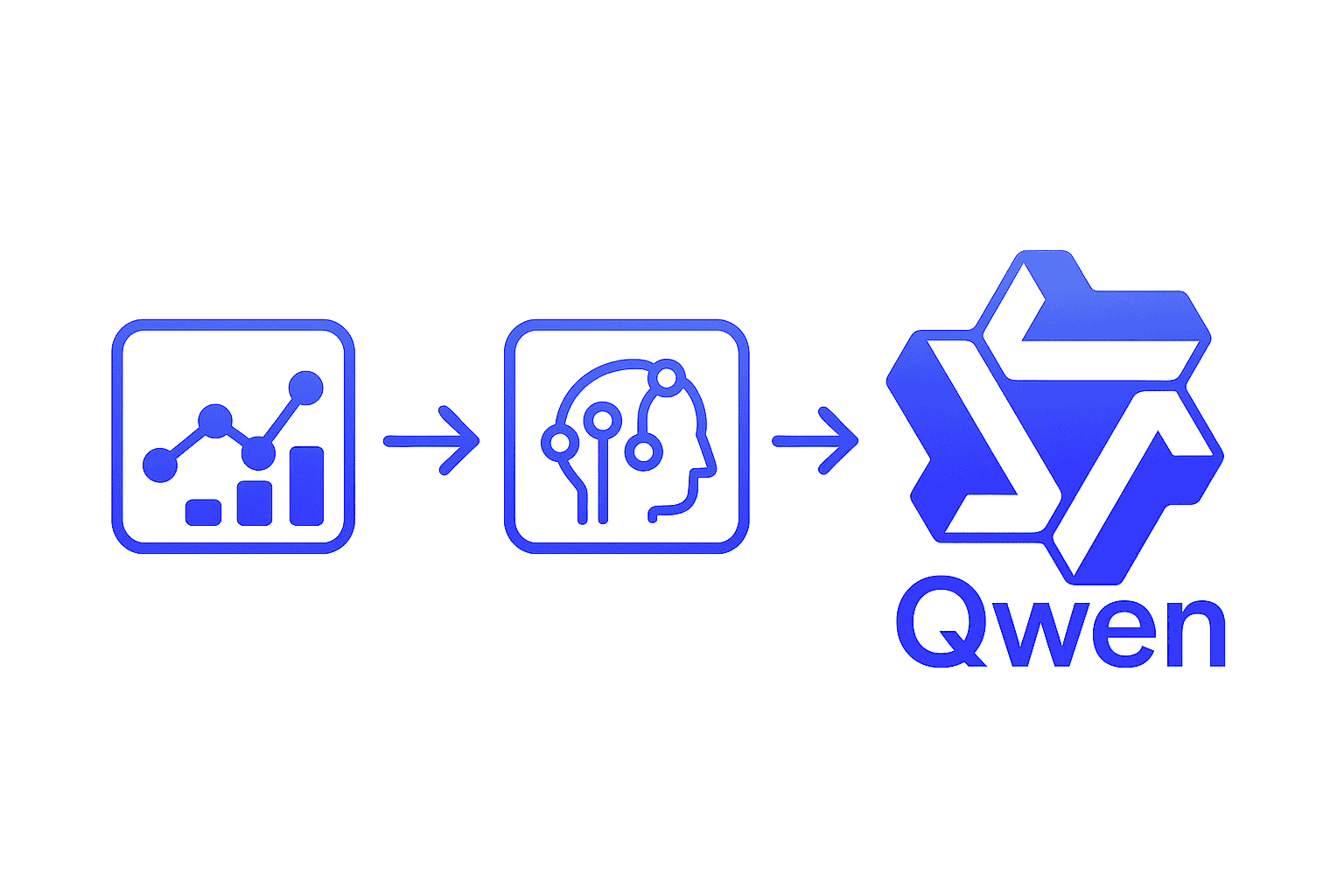

AI as a Unified Analytics Layer: Qwen is a series of advanced large language models (LLMs) developed by Alibaba Cloud, designed to understand and analyze both natural language and multimodal data. In enterprise analytics, Qwen can serve as a unified intelligence layer over structured data (like databases and dashboards) and unstructured data (like documents, logs, and audio), bridging technical analysis and business insight.
Qwen’s latest generation (the Qwen-3 series) sets new standards in reasoning efficiency and multi-language capabilities, making it a powerful assistant for data-driven decision making. This article explores how Qwen AI empowers various stakeholders in data analytics, the high-impact analytics workflows it enhances, which Qwen models are best suited for these tasks, and practical examples of integrating Qwen via Python and API.
Target Audience: Who Benefits from Qwen AI in Analytics
The capabilities of Qwen AI in data analytics are relevant to multiple stakeholders involved in enterprise decision-making:
- Data Scientists: Qwen accelerates model-assisted analytics by handling tasks like generating hypotheses, detecting anomalies in datasets, and interpreting machine learning outputs. Data scientists can leverage Qwen’s reasoning to validate results or uncover patterns that might be missed by traditional algorithms, thereby speeding up experiments and insights.
- Business Analysts & BI Teams: For analysts who rely on dashboards, reports, and KPIs, Qwen acts as an AI assistant that can answer ad-hoc questions in natural language, generate summaries of BI dashboards, and explain the drivers behind metrics. This helps business analysts get quick insights (e.g. “Why did our Q4 sales dip?”) without manual number-crunching, augmenting their traditional BI tools with conversational analytics.
- Enterprise Data & Analytics Teams: Qwen can be integrated into data pipelines, ETL/ELT processes, and large-scale analytics platforms. Enterprise data teams can use Qwen to automate data quality checks, perform intelligent data transformations, and provide an AI layer on top of data warehouses. By embedding Qwen into analytics platforms, organizations enable real-time insights and natural language querying across their data silos, benefiting a wide range of internal users.
- Developers Building Analytics Tools: Software developers creating analytics applications or dashboards can utilize Qwen (through its API) for features like LLM-powered insight extraction, text summarization of reports, or interpretation of metrics. Qwen’s capabilities (such as natural language SQL generation and narrative generation) allow developers to enhance their applications with AI-driven analytics without building models from scratch. This makes it easier to build chatbots that answer data questions, automate report generation, or flag anomalies in custom apps.
(By addressing both technical users and business stakeholders, Qwen AI maximizes its reach and SEO value, as it provides value from the data science trenches up to the C-suite.)
High-Impact Analytics Workflows Enabled by Qwen
Qwen can add value to a wide range of data analytics workflows. Below are key areas where Qwen’s large language model capabilities make a significant impact:
Natural Language Queries over Data
One of Qwen’s most powerful uses is enabling Ask-style analytics – letting users query data using plain English (or other languages) instead of code. Qwen can interpret a user’s question and either provide the answer directly from data or even generate the SQL query needed to retrieve the answer. This natural language querying (NLQ) removes the barrier of needing to know SQL or the structure of the database. For example, a business user could ask “What was our average revenue per user in Europe last quarter?” and Qwen can understand this and either compute the answer from a data source or produce a correct SQL query for it.
In fact, Gartner’s analysis highlights text-to-SQL as a “likely win” for generative AI, noting that tools like Qwen reliably translate natural language into SQL, yielding high business value with low risk. Qwen can also explain KPIs in natural language – if a dashboard shows a metric, a user can ask Qwen “What does this KPI mean and how is it calculated?” and get an immediate, clear explanation. This capability turns data exploration into a conversation, allowing both technical and non-technical users to ask questions about their data and get answers on the fly, without writing queries or code.
BI Dashboard Insight Generation and Narratives
Traditional BI dashboards are great at visualizing data, but interpreting those visuals still relies on human expertise. Qwen changes that by providing automated insights for BI dashboards. An LLM like Qwen can scan through the numbers, charts, and trends in a dashboard and generate a narrative summary of what’s happening. For instance, Qwen could look at a sales dashboard and produce a sentence like “Revenue increased by 12% in Q4, primarily driven by new market expansion, but profit margins fell due to higher supply costs.” This kind of narrative highlights key takeaways that a busy executive might otherwise overlook.
Qwen’s ability to generate smart narratives means dashboards become not just a collection of charts but a story about the business. Importantly, Qwen can also flag anomalies or noteworthy changes in dashboards: if a particular metric suddenly spikes or drops, Qwen can call it out in the narrative (an “anomaly flag”). LLM-powered dashboards can automatically detect outliers or unusual patterns and bring them to the user’s attention. Instead of the user hunting for insights, the insights find the user – complete with context on why something is significant. This automated insight generation augments BI teams by continuously monitoring data and surfacing trends or issues, accompanied by natural-language explanations (often called “narrative reporting” or “augmented analytics” in BI).
Anomaly Detection and Data Quality Explanations
Detecting anomalies (sudden changes, outliers, or data quality issues) is critical in analytics. Qwen can enhance anomaly detection systems by not only finding anomalies but also providing context and potential explanations for them. Using Qwen, an analyst could input a series of data points (e.g. weekly sales figures or web traffic numbers) and prompt the model to identify any values that look irregular. The advantage of an LLM is that it can incorporate external context or reasoning when explaining anomalies. For example, if sales dropped on a certain week, Qwen might cross-reference that date to known events (maybe a holiday, or a supply issue) if such context is provided, and hypothesize why the drop occurred.
An AI like Qwen essentially serves as a smart assistant that looks at data like a detective: it “spots unusual stuff in your dashboard information” and then goes “Sherlock-Holmes-level detective” to tell you why those oddities happen. This goes beyond mere detection – it’s insight. Qwen can also aid in data quality checks by examining data for inconsistencies or errors (for instance, detecting if a value is an outlier due to a likely data entry mistake) and suggesting what might be wrong. By having Qwen “watch over” data streams or reports, enterprise teams get an added layer of assurance that issues will be flagged and explained, rather than slipping through until a human notices.
Predictive Analytics and Forecasting Assistance
While traditional analytics look at historical data, Qwen can help organizations peer into the future with predictive analytics. By integrating Qwen into forecasting workflows, users can ask predictive questions in simple language and get statistically informed answers. For example, an analyst might ask Qwen, “Based on our customer growth so far this year, where will we be by next year?” – Qwen can integrate a predictive model’s output (or use patterns in the data provided) to generate a forecast and, importantly, a plain-language explanation of that forecast.
Qwen-Plus and especially the more advanced Qwen models can interpret the outputs of forecasting models (like time-series predictions) and translate them into insightful commentary (e.g., “Sales are expected to grow 8% next quarter, but with a slowing growth rate compared to last year”). According to industry use-cases, LLMs combined with machine learning models enable decision-makers to anticipate future outcomes based on trends. Qwen can assist in scenario planning as well: users can pose “what-if” questions (e.g., “What if our churn rate doubles next month?” or “How would a 10% increase in marketing spend affect revenue projection?”) and the model can simulate a plausible outcome or at least guide how to adjust the forecast. This makes predictive analytics more accessible — even executives without data science knowledge can simply ask scenario-based questions and get answers. By having an AI summarize and contextualize predictions, organizations can do proactive, forward-looking planning with greater confidence.
Unstructured Data Analysis (Logs, Text, and More)
Enterprise data isn’t only rows and columns in a database; a lot of valuable information is unstructured – support tickets, call transcripts, emails, documents, social media feeds, IoT sensor logs, etc. Qwen is well-suited to analyze such unstructured data and extract insights that would be hard to get otherwise. Because Qwen is a language model, it can read and summarize documents or conversation transcripts to pull out key points or sentiment. For example, a company could use Qwen to analyze customer support chat logs and automatically identify common pain points or complaints customers have. Similarly, Qwen could comb through open-ended survey responses and provide a summary of customer satisfaction drivers. Large language models like Qwen excel at processing both structured and unstructured data, identifying patterns and context in text that traditional BI might miss.
Qwen-Omni (discussed below) even extends this to multimodal data, meaning it can help interpret image or audio data alongside text. Think of an operations team using Qwen to go through system log files: Qwen could detect an unusual error message in logs and correlate it with a known issue by reading documentation. Or HR could use Qwen to summarize feedback from hundreds of employee survey comments into coherent themes. In essence, Qwen enables a unified analysis across your data lake: whether the input is a table, a PDF document, or a collection of emails, Qwen can ingest it (with the right retrieval tools) and converse about it intelligently. This ability to span structured and unstructured data makes Qwen a powerful tool for comprehensive data analytics.
Automated Reporting and Data Narratives
Another high-impact application of Qwen in analytics is report automation. Companies often produce weekly or monthly reports full of charts and tables; with Qwen, much of the narrative writing can be automated. Qwen can be prompted with raw data or visuals and asked to “generate the weekly performance summary.” The model would then output a coherent report write-up: for example, “This week, website traffic increased 5% over the previous week, led by growth in mobile visitors. Conversion rates held steady, resulting in a 4% increase in total sales. Notably, the Midwest region outperformed others, achieving 10% week-over-week sales growth.” Such narrative generation is an application of Natural Language Generation (NLG), where AI turns complex data into fluent text.
Qwen can produce executive summaries, explanations of visualizations, or even full analytical reports combining various metrics – all in human-readable language. This saves analysts from the tedium of writing up findings and ensures that even non-technical stakeholders can read the output and grasp the insights. Additionally, because Qwen can tailor the tone and detail of the output, reports can be customized to the audience (a more technical deep dive for an analytics team, or a high-level summary for executives). By automating the narrative, organizations ensure that data-driven storytelling happens consistently and quickly. The reports generated by Qwen can always be reviewed and edited by humans, but even as drafts they significantly accelerate the reporting process and enhance the consistency of insights delivered across an enterprise.
(By leveraging Qwen in the above scenarios – from natural language Q&A to anomaly explanations and narrative reports – companies effectively add an AI “brain” on top of their data. This not only increases analytics efficiency but also makes insights far more accessible throughout the organization.)
Qwen AI Models: Choosing the Right Version for Analytics
The Qwen family includes several model variants. Picking the right model depends on the complexity of the task, performance needs, and cost considerations. Here we highlight the Qwen models most suited for enterprise analytics workloads:
- Qwen-Plus: This is the primary model to consider for most analytics applications. Qwen-Plus is a balanced model offering a midpoint in performance, speed, and cost between the higher-end Qwen Max and the lighter Qwen-Flash. In practice, Qwen-Plus can handle moderately complex analytics tasks with strong reasoning ability, making it well-suited for things like dashboard summarization, basic predictive queries, and natural language SQL generation. It’s often the best choice when you need reliable reasoning and good structured data understanding, but also have to keep latency and API costs in check. (For example, answering a business user’s query in real-time or generating a short report would be a great fit for Qwen-Plus.)
- Qwen2.5 and Qwen-Omni (Advanced Models): For more complex or demanding analytics needs, the newer Qwen2.5 series offers cutting-edge capabilities. The Qwen2.5 models underwent significant improvements in training (larger training data and advanced fine-tuning), resulting in enhanced common sense, better reasoning, and notably improved structural data analysis skills – all of which are valuable for intricate analytics tasks. The flagship of this series, Qwen2.5-Omni, is an end-to-end multimodal model designed to handle diverse data modalities. Qwen2.5-Omni can seamlessly process text, images, audio, and video inputs, and deliver real-time responses that include both generated text and even speech output. This makes it exceptionally powerful for advanced analytics scenarios: for instance, interpreting a dashboard that has visual charts (image input) alongside data, or analyzing video/audio transcripts together with structured data. In an enterprise context, Qwen2.5 (and especially Qwen-Omni) would be ideal for dashboard deep-dives, complex anomaly detection that might involve multiple data sources, very long financial reports or transcripts (thanks to extended context length), and any use case combining text with other media. These models are larger and more resource-intensive, but they deliver superior reasoning and the ability to handle “mixed” data — effectively serving as an AI assistant that can “see” and “hear” data beyond text.
- Qwen-Turbo (Lightweight Variant): Qwen-Turbo is an older, lighter model variant optimized for speed and cost. It was historically used for high-throughput or less complex tasks – think of it as analogous to a “turbo” engine that’s fast and cheap to run, though not as deep in reasoning. In fact, the Qwen team’s latest generation includes Qwen2.5-Turbo, which is a version focused on cost-efficiency while still performing competitively on many tasks. For repetitive analytics tasks that need to be done at scale (for example, automatically generating thousands of slightly varied reports, or handling a very high volume of simple queries), a Turbo model could be a pragmatic choice due to its lower API cost. However, note that Qwen-Turbo models may not be as adept with very complex instructions or nuanced analysis. Alibaba Cloud’s documentation even suggests that Qwen-Turbo has been superseded by an updated “Flash” model for better cost granularity. Still, we mention Qwen-Turbo here as an option for those scenarios where low cost and speed trump perfect accuracy – such as quick metric lookups, simple chatbot Q&A in an app, or other routine tasks where using a smaller model is sufficient. It’s an optional mention in the Qwen ecosystem, rounding out the spectrum of models from powerful (Max/Plus/Omni) to efficient (Turbo/Flash).
In summary, Qwen-Plus will cover most needs with a strong balance of capabilities. For cutting-edge, complex analytics (especially involving multimodal data or long documents), Qwen2.5/Omni are the go-to, offering top-tier performance. And for specialized cases where cost is critical and queries are simple, Turbo/Flash variants provide a budget-friendly solution. Enterprises might even mix these: use Qwen-Plus for interactive user queries, Qwen-Omni for heavy analytics projects, and Turbo for background batch tasks, thereby optimizing both performance and cost.
Integration Examples: Using Qwen AI in Analytics Workflows
To realize the benefits of Qwen AI in practice, you’ll likely integrate it into your existing analytics tools and workflows. Qwen is available via APIs (hosted on Alibaba Cloud), with interfaces that are compatible with OpenAI’s API format, making it developer-friendly. This section provides a few hands-on examples (in Python and REST) to illustrate how Qwen can be used for real analytics tasks.
Example 1: Natural Language to SQL (Python)
Imagine you want to enable business users to get data by asking questions, which Qwen will turn into SQL queries for your database. Using Qwen’s API in Python is straightforward. For instance, using the OpenAI Python SDK, you can point it to Qwen’s endpoint and model:
import openai
# Configure OpenAI-compatible API endpoint for Qwen
openai.api_base = "https://dashscope-intl.aliyuncs.com/compatible-mode/v1"
openai.api_key = "YOUR_QWEN_API_KEY"

# User's natural language question:
user_question = "What were the total sales by region for Q2 versus Q1?"

# Use Qwen-Plus model to generate an SQL query from the question
completion = openai.ChatCompletion.create(
    model="qwen-plus",
    messages=[{"role": "user", "content": f"Generate an SQL query to answer: {user_question}"}]
)

sql_query = completion.choices[0].message.content
print("Generated SQL:", sql_query)
In this snippet, we send the user’s request to Qwen-Plus with a prompt asking it to “Generate an SQL query” for the given question. The response (sql_query) might look like:
SELECT region, SUM(sales) AS total_sales
FROM sales_data
WHERE quarter IN ('Q1', 'Q2')
GROUP BY region
ORDER BY region;
This SQL (which Qwen formulated) answers the question by comparing total sales by region in Q1 vs Q2. We could then execute this query on our database and return the results to the user. The key point is that Qwen understands the natural question and produces a valid SQL statement. Studies and benchmarks show that modern LLMs can achieve high reliability on text-to-SQL tasks – for example, Alibaba’s Qwen-Max demonstrated strong accuracy in generating SQL from natural language. This approach can dramatically lower the barrier for non-technical users to access data, as they can simply ask questions instead of writing queries.
Example 2: Dashboard Commentary via REST API
Suppose you have a business intelligence dashboard and you’d like Qwen to provide an automatic commentary on it – summarizing trends and flagging anomalies. You can achieve this by sending a prompt to Qwen’s API that includes key data points (or a summary of the dashboard data) and asking for insights. Here’s how a REST API request might look for such a scenario:
POST /compatible-mode/v1/chat/completions HTTP/1.1
Host: dashscope-intl.aliyuncs.com
Authorization: Bearer YOUR_QWEN_API_KEY
Content-Type: application/json

{
  "model": "qwen-plus",
  "messages": [
    {"role": "system", "content": "You are a data analyst AI that provides insights."},
    {"role": "user", "content": "Q4 Dashboard:\n- Revenue: $1.2M (down 5% vs Q3)\n- Profit: $200K (up 2%)\n- Top product: XYZ (15K units)\nProvide a brief commentary on the performance and any anomalies."}
  ]
}
In this JSON request:
- We specify the model (
qwen-plus) and include a system message to set Qwen’s role as an analyst. - The user message contains a distilled form of the dashboard metrics (revenue, profit, etc., including the changes versus last quarter) and asks for a commentary.
Qwen’s response (in the HTTP response JSON) would include an assistant message with something like:
“This quarter’s revenue was $1.2M, which is a 5% decrease from Q3. Despite the drop in revenue, profit increased by 2% to $200K, indicating improved margins – possibly due to cost reductions or a favorable product mix. The product XYZ performed strongly with 15K units sold, making it the top product of the quarter. One anomaly to note is the revenue dip: a 5% decline is unusual given the trend from earlier quarters – this could be due to seasonal demand softening or a specific slowdown in sales regionally. Overall, the business maintained profitability even as top-line revenue slipped, but further investigation into the sales decline is recommended.”
The above is an example of the kind of narrative Qwen might generate. It identified the anomaly (revenue down when normally one might expect growth) and provided a plausible explanation, while also highlighting the positive (profit up, top product). This showcases Qwen’s ability to interpret numbers and deliver insights in natural language. Internally, Qwen is performing the kind of analysis a human analyst might do – comparing current values to prior values, checking for outliers, and reasoning about causes – then articulating it clearly. In a live implementation, the data points (revenue, profit, etc.) could be programmatically inserted into the prompt from the BI system, and Qwen’s response can be displayed in the dashboard UI as a commentary for business users to read.
Example 3: Anomaly Detection Prompt (Advanced)
For more advanced use, Qwen can be directly given raw data and asked to find anomalies. For instance, say we have a time series of website traffic: [1200, 1280, 1250, 3000, 1300, 1270] (where one week spiked to 3000). We can feed this into Qwen with a prompt: “The weekly website visits for the last six weeks are: 1200, 1280, 1250, 3000, 1300, 1270. Identify any anomalies in the data and possible reasons.” Qwen might respond: “Week 4 shows a significant spike (3000 visits vs ~1250 in other weeks), which is an anomaly. This could be due to a one-time event or campaign that week driving unusual traffic (for example, a marketing promotion or viral content). Other weeks appear stable around the baseline.”
This demonstrates how Qwen can take even a simple array of numbers and add context and reasoning to it. Integrating such a prompt in a script or analytics pipeline means whenever new data comes in, Qwen could automatically analyze and comment on it. (For even better results, you might combine Qwen with a knowledge base of events – via Retrieval-Augmented Generation – so it could, for example, know that “Week 4 had a product launch” if that info is provided, and mention it in the explanation.)
Example 4: CSV Ingestion with RAG for Analytics
Often, enterprise data resides in CSV files or databases. Qwen can be integrated with retrieval-augmented generation (RAG) techniques to allow it to ingest and reason about such data. For example, using frameworks like LangChain, one can load a CSV of sales data, index it with a vector store, and let Qwen answer questions about it. A simple approach: convert each row or section of the CSV into text (or a table format in text) and provide that to Qwen with a question. However, a more scalable approach is to use a RAG pipeline: you embed the content of the CSV (e.g., each product’s sales figures) into vectors, and when a user asks a question (“Which product had the highest growth this year?”), you retrieve the relevant chunk of data from the CSV and feed it into Qwen’s prompt. Qwen will then generate an answer based on that specific data. This way, Qwen doesn’t have to internally know the entire dataset (which could be large); it’s given just the relevant slice via retrieval.
The combination of Qwen + RAG effectively allows analytics over your proprietary data while still leveraging Qwen’s natural language understanding. Alibaba’s community has demonstrated such patterns – integrating Qwen with vector databases and LangChain for custom Q&A on data. For a developer, the benefit is that you can build a chatbot or an analysis assistant over your own data (CSV files, documents, etc.) where Qwen will respond with facts from your data, not just general knowledge. A concrete example could be building a “analytics copilot” that, given your company’s sales CSV, can answer questions like “What was the best quarter for product X?” or “Find any outlier in weekly sales and explain it,” by retrieving the exact figures from the CSV and then letting Qwen interpret them.
(These examples scratch the surface of integration possibilities. Qwen’s API can be called from any language or environment, and because it follows a familiar interface (similar to OpenAI’s), adding it to existing applications is relatively easy. Whether it’s a Python script for an analyst, a web app feature via REST, or part of a data pipeline in Java, Qwen can be invoked to bring intelligent analysis wherever it’s needed.)
Conclusion: Transforming Enterprise Analytics with Qwen AI
AI models like Qwen are transforming how enterprises approach data analytics. By enabling natural language interaction with data, automated insight generation, anomaly reasoning, and more, Qwen serves as a powerful intelligence layer across both structured and unstructured data sources. This democratizes analytics – data scientists can accelerate their workflows with AI-assisted insights, while business leaders and analysts can directly engage with data in intuitive ways.
The versatility of the Qwen model family (from the balanced Qwen-Plus to the multimodal Qwen2.5-Omni) means there’s a solution for every scenario, whether it’s quick BI queries or deep-dive analysis on complex datasets. Implementing Qwen is made practical with robust APIs and integration support, allowing teams to embed AI capabilities into dashboards, applications, and data pipelines with relative ease.
In an era where data-driven decision-making is paramount, Qwen AI empowers organizations to go from data to insights faster and more effectively. Routine reports and queries can be handled by AI, freeing up human analysts to focus on strategy and domain-specific interpretation.
Trends and anomalies are spotted sooner, and explanations are readily available, reducing the risk of oversights. Moreover, the conversational interface breaks down the wall between non-technical users and the data they need, fostering a truly data-informed culture.
AI data analytics with Qwen is thus a game-changer: it brings together the best of human-friendly interaction and machine-scale data processing. As we’ve explored, the potential applications range from BI augmentation to predictive planning and beyond. Enterprises that leverage Qwen in their analytics stack stand to gain not just efficiency, but also richer insights and more agile decision-making.
In the competitive landscape of today’s business, those advantages can be the key to staying ahead. By adopting Qwen AI for analytics, organizations effectively equip themselves with a tireless data expert that continuously learns and delivers value – helping turn data into actionable intelligence with unprecedented ease and depth.